
Your support mailbox becomes tickets that get answered — with AI help
Connect your company's support@ and every email becomes a ticket with a number, status and assignee. The team's replies go out as email to the customer. Department teams, automatic reminders, and AI reply suggestions citing your articles.
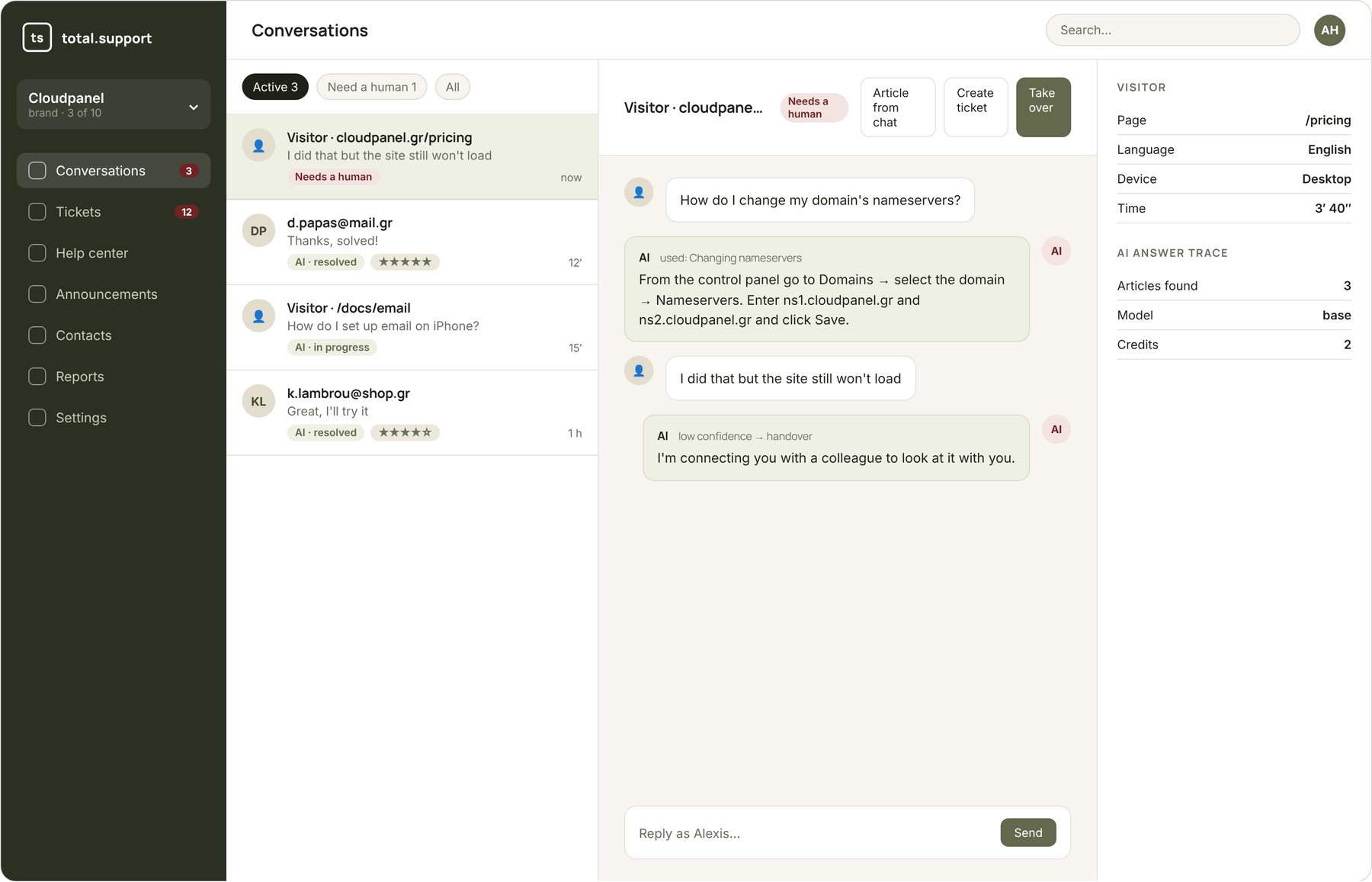
No request gets lost in the inbox
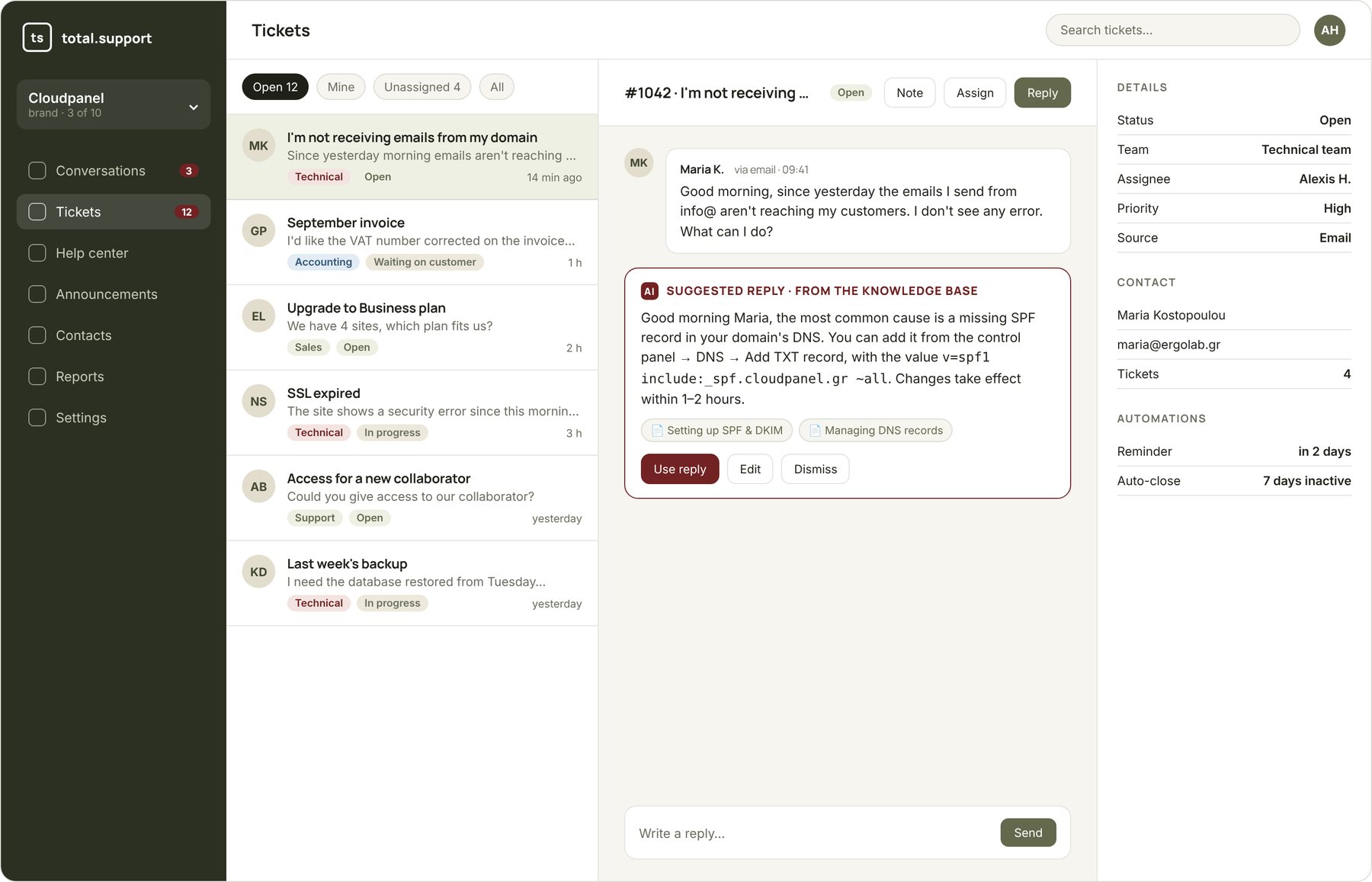
Connect your support mailbox (IMAP/SMTP, any provider). New email = new ticket. Customer reply = update on the same ticket. The team replies from the app and the customer receives a normal email with your branding.
- Separate mailbox per brand
- Designed email templates with your logo
- Tickets also from chat, the customer portal or the API
- Attachments and internal notes
The agent starts from a ready draft, not a blank page
For every ticket the AI searches the knowledge base and suggests a reply citing the articles it used. The agent reads it, edits it if needed and sends. If the solution was new, one click turns it into an article for next time.
- Reply suggestion with citations
- “Improve knowledge base from ticket” in one click
- Canned responses for common topics
- Model choice per brand
Accounting, sales, technical: the request goes to the right department
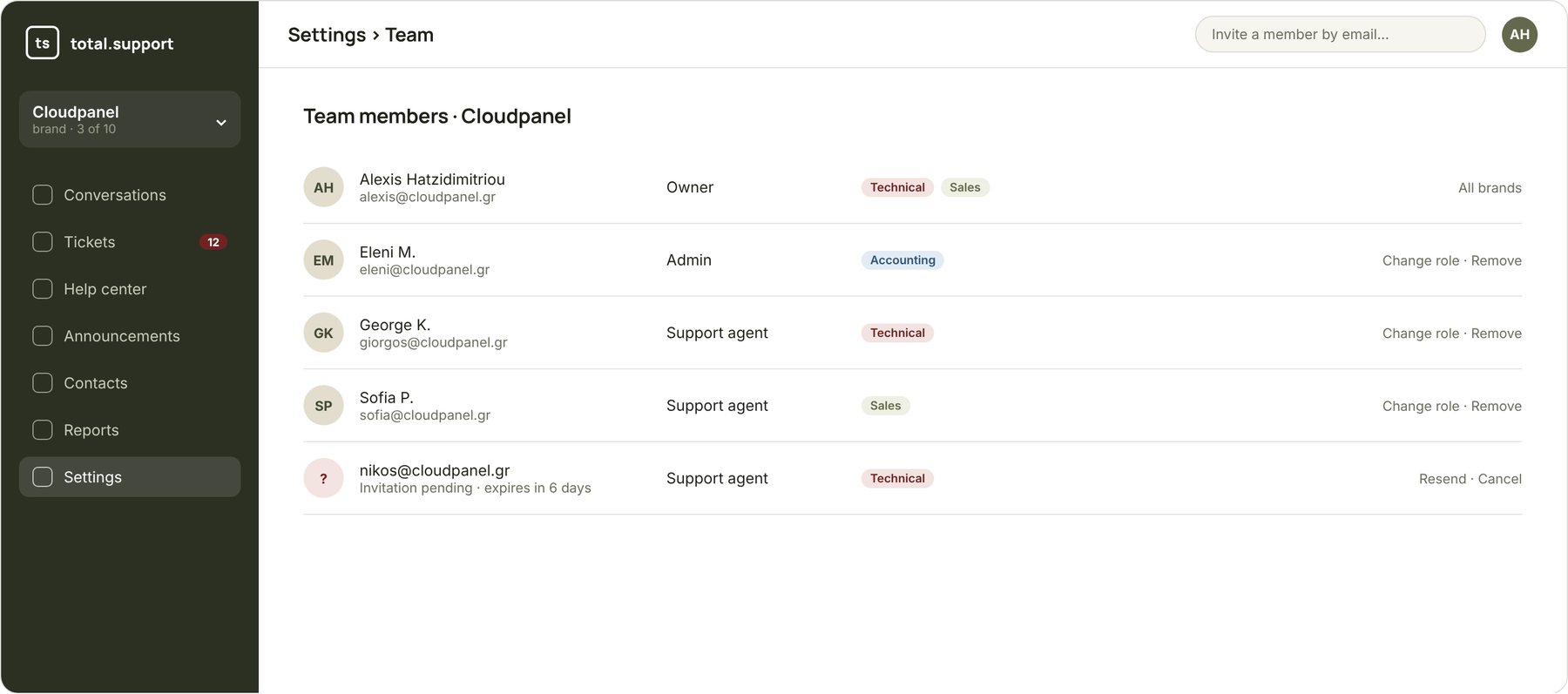
Create teams per brand and assign the ticket to the right team or person. Agents see their team's open tickets and “take” them in one click. Admin and agent roles keep settings away from those who don't need them.
- Department teams and assignment to a team or person
- Roles: Admin / Support agent, per brand
- Invite members by email, 2FA
- “Assignee” column, “Mine” / “Unassigned” filters
The system remembers, so you don't have to
Reminders
Ticket unanswered for X hours? The assignee is notified. Customer hasn't replied? They get an automatic reminder.
Automatic status
After N days of inactivity the ticket closes itself — notifying the customer they can reopen it.
Notifications
Email to the customer on every status change. Browser, sound and push for agents on new ticket, reply or assignment.
Customer portal
The customer sees their requests, their status, and replies — without digging through old emails.
Contacts
Every customer with their ticket and conversation history, on one card.
Reports
Open tickets, response times, per team and per brand.
Frequently asked questions
Yes. Connect any account with IMAP/SMTP: Google Workspace, Microsoft 365, cPanel/Plesk, Zoho and more. You don't change your address and no forwarding is needed.
Yes, from the customer portal: they see their requests, the status and all replies, and can answer from there or from email.
1 credit per suggestion with the base model. You request it when you want it — it doesn't run automatically on every ticket unless you configure it to.
Yes. Each brand has its own support mailbox, its own teams and its own email templates, all in one account.
Connect your support@ in 5 minutes
Start the free trial, connect your mailbox and watch the first tickets create themselves.