
A chat that answers from your own data — and knows when to call a human
The bot reads your help center articles and answers the customer with a citation. When it can't find an answer or the customer asks, it hands the conversation to your team in the same window. Installs on any site or e-shop in minutes.
This is what your customer sees
The widget on the right is a simulation with real answers from a hosting help center. Click a question — or ask for a human to see the handover.
- Every answer shows the article it came from
- The bot replies in the language the customer writes
- The agent joins the same conversation, no email or form
- The customer rates the answer at the end
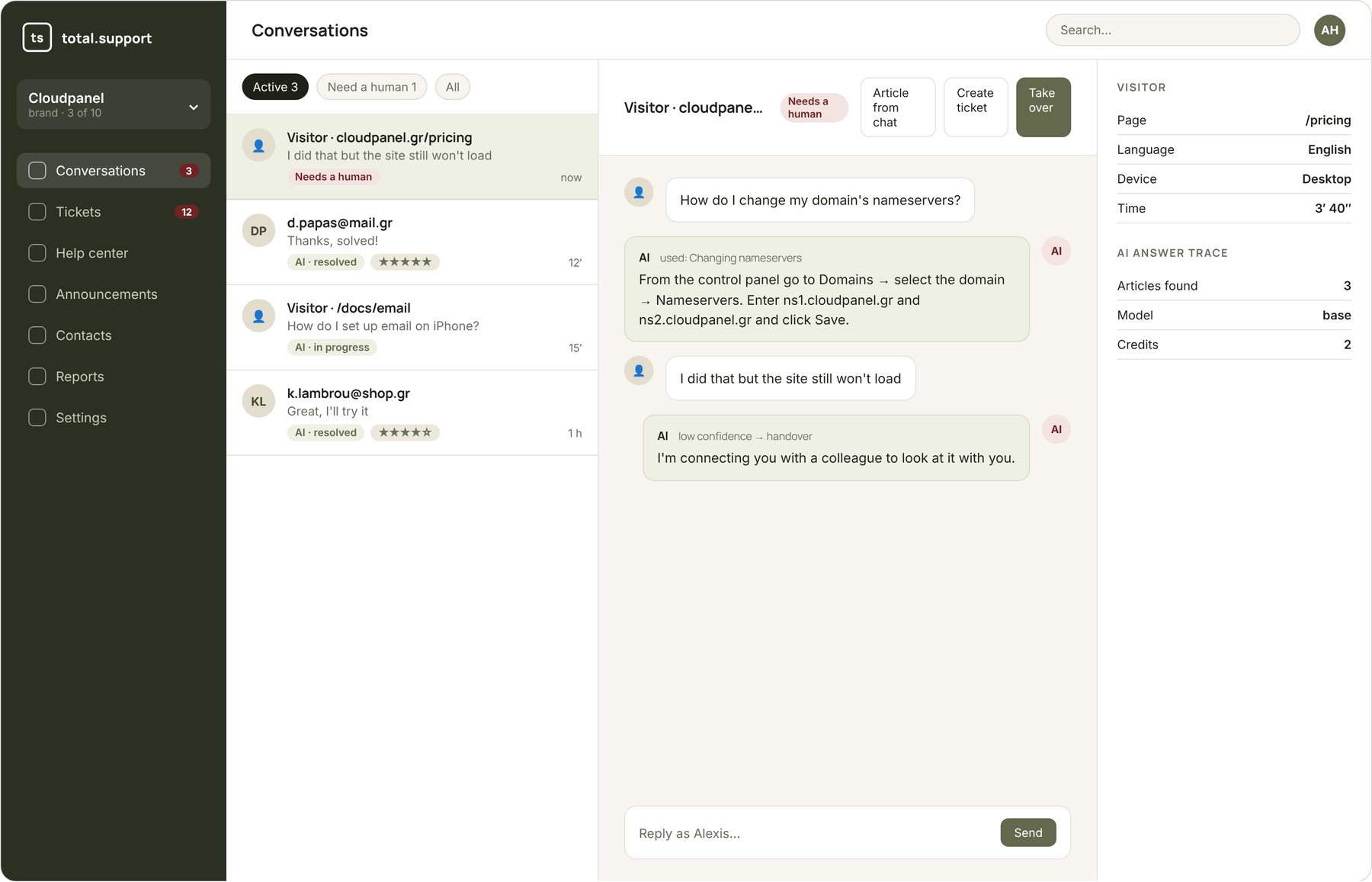
It doesn't “search the internet”. It reads your articles.
Every answer comes from your brand's help center — articles, guides, internal notes and whatever you've imported. The bot cites the source, so the customer can read more and you know what it used.
- Set name, tone and behaviour instructions per brand
- Choose the model: economical or premium
- A trace for every answer: which articles were found, which model, how many credits
When it doesn't know, it says so — and calls your team
You decide when the bot hands over: when it finds no relevant article, when the customer asks for a person, or always for specific topics. The agent is notified (browser, sound, push), sees the conversation and replies in the same window. If nobody is available, a ticket is created and the customer gets a reply by email.
- Notifications in the browser, background tab and mobile
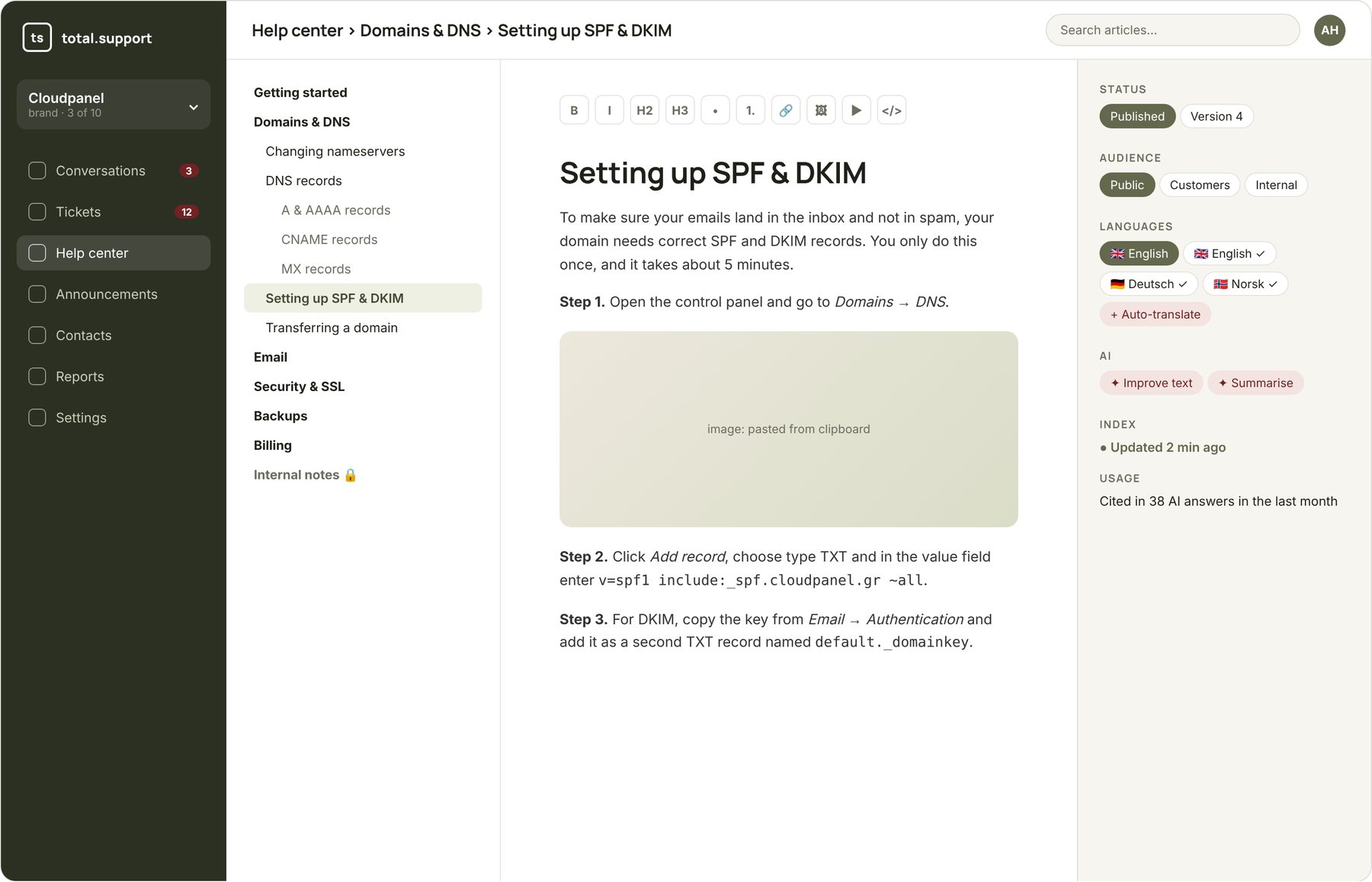
- Take over in one click, assign to a specific agent
- Turn a conversation into a ticket or an article
- Customer rating at the end
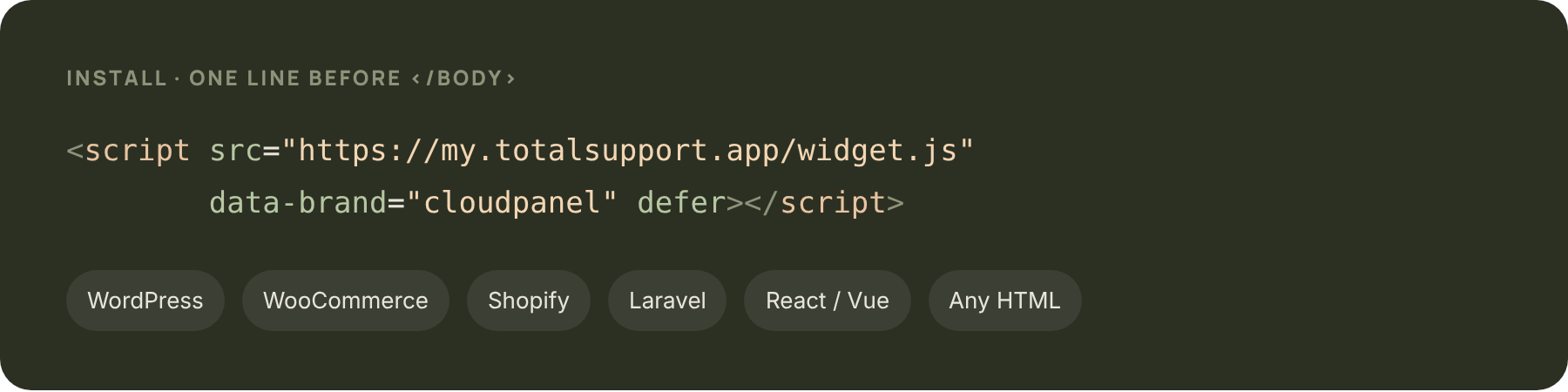
One line of code. Really.
Paste the script into your site and the widget appears in your brand's colours and logo. Works on WordPress, WooCommerce, Shopify, Laravel, React — anything that serves HTML.
- Customise colours, position, welcome message
- Three tabs: Messages, Help (article search), News (announcements)
- No third-party cookies, secure iframe from our own domain
Everything you expect from a live chat
Every language
The customer writes in English, German or Greek — the bot replies in their language, from the same articles.
Help tab
The customer searches the articles themselves inside the widget, before even asking.
News tab
Announcements, maintenance and new features, straight to customers.
Inactivity timeout
Forgotten conversations close on their own, after a configurable time.
Reports
How many conversations, how many solved without a human, what's asked and left unanswered.
Data in the EU
Hosted on servers in the European Union, designed for GDPR.
Frequently asked questions
Yes. From the admin you open the widget preview and chat with it like a customer, while seeing which articles it uses.
You decide: either it continues with overage billing, or the bot stops AI answers and only offers to create a ticket. You're notified at 80% and 100%.
Yes, the whole conversation — and the trace of every AI answer: which articles it found and with what confidence.
Not for chat. If the conversation becomes a ticket, an email is requested so they can receive the reply.
Put it on your site today
Create an account, import your content and copy one line of code. 14 days free.