
Tell your customers right where they are
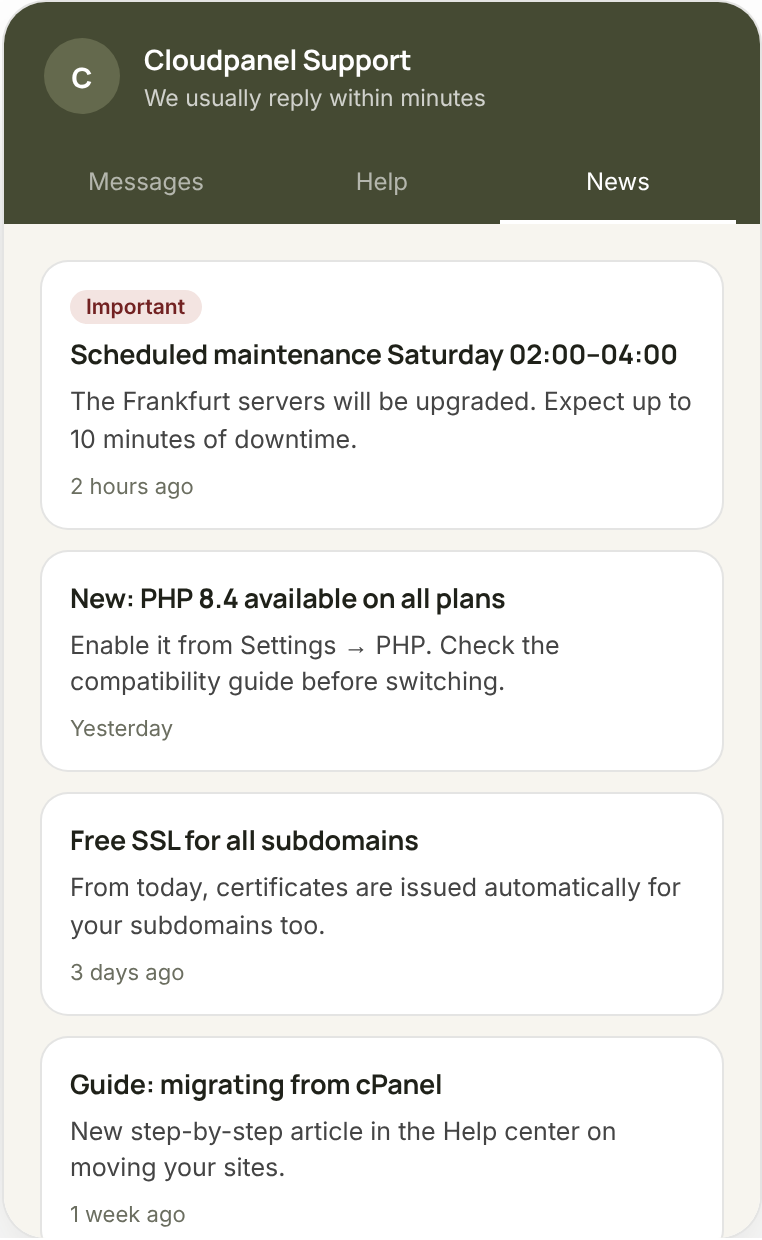
Maintenance on Saturday? A new feature? A price change? Write the announcement once and it appears in the widget's “News” tab, on every page of your site — no newsletter, no annoying pop-up.
Fewer tickets when you tell them first
Most ticket spikes come from something you already knew about. A two-line announcement saves dozens of identical questions.
Scheduled maintenance
“On Saturday 02:00–04:00 there will be an outage of up to 10 minutes.” Customers see it before they ask why it's down.
New feature
Present what was added and link it to the how-to article in the help center.
Ongoing incident
When something goes wrong, a pinned announcement calms customers and empties the queue.
Write, publish, it appears
Announcements are written in the same editor as articles — with images and formatting — and published per brand. The widget's “News” tab shows them with dates, important ones pinned to the top.
- Pin important announcements
- Links to help center articles
- Separate announcements for each brand
- Archive of past announcements
Frequently asked questions
No, they appear inside the widget on your site. For email notifications there are the automatic ticket updates.
Yes. Each brand has its own announcements and its own widget.
Get started free in 10 minutes
14-day trial with 200 AI credits. No credit card, no installation — just one line of code on your site.