Help center

A help center that is written once and read in every language

Sections, subsections and articles with images and video, on a public page in your colours. Smart search that understands what the customer is looking for, and automatic translation of every article into any language you want — at the press of a button.

Up to 4 levels of sectionsAI searchAutomatic translation
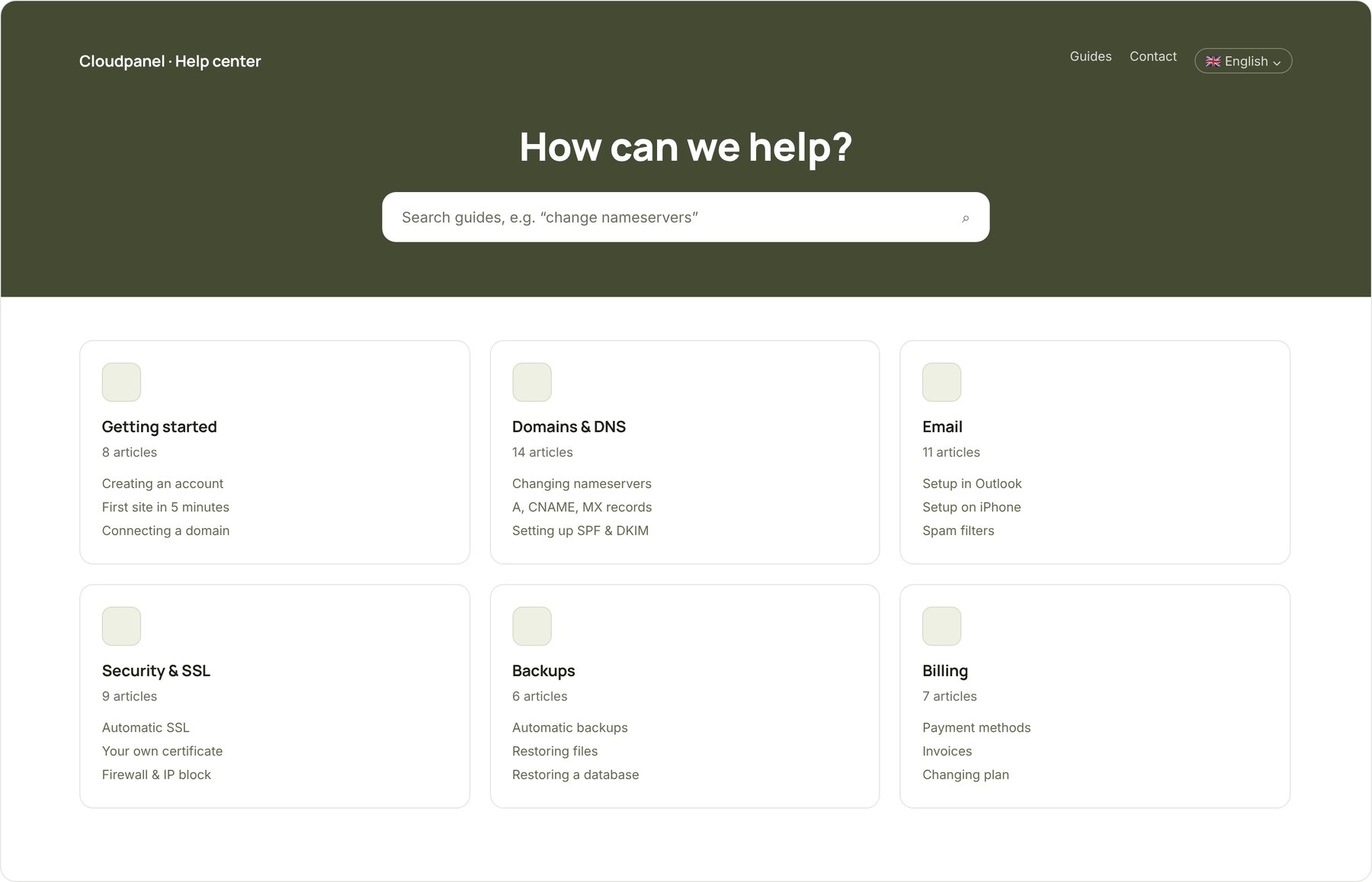
Public help center with search and article categories
One button

Translate your guides into German or Norwegian. Right now.

Enable a language and every article — and every category — is translated automatically. When you correct the original, the translations redo themselves. The bot answers from the right language.

Try it: click a language on the document.

GreekEnglishDeutschFrançaisItalianoEspañolNorskSvenskaБългарскиRomânăTürkçe+ any other
Article language
Automatic translation · updated when the original changes

Ρύθμιση SPF & DKIM για το domain σας

Για να φτάνουν τα emails σας στα εισερχόμενα και όχι στα ανεπιθύμητα, το domain σας χρειάζεται σωστές εγγραφές SPF και DKIM. Η ρύθμιση γίνεται μία φορά και διαρκεί περίπου 5 λεπτά.

  1. Ανοίξτε τον πίνακα διαχείρισης και πηγαίνετε στο Domains → DNS.
  2. Πατήστε Προσθήκη εγγραφής, επιλέξτε τύπο TXT και βάλτε την τιμή v=spf1 include:_spf.cloudpanel.gr ~all.
  3. Αντιγράψτε το κλειδί DKIM από Email → Αυθεντικοποίηση και προσθέστε το ως δεύτερη εγγραφή TXT.
  4. Περιμένετε 1–2 ώρες και ελέγξτε με το εργαλείο «Έλεγχος email».
Original

Setting up SPF & DKIM for your domain

To make sure your emails land in the inbox and not in spam, your domain needs correct SPF and DKIM records. You only do this once, and it takes about 5 minutes.

  1. Open the control panel and go to Domains → DNS.
  2. Click Add record, choose type TXT and enter the value v=spf1 include:_spf.cloudpanel.gr ~all.
  3. Copy the DKIM key from Email → Authentication and add it as a second TXT record.
  4. Wait 1–2 hours and verify with the “Email check” tool.
Automatic translation · updated when the original changes

SPF & DKIM für Ihre Domain einrichten

Damit Ihre E-Mails im Posteingang und nicht im Spam landen, braucht Ihre Domain korrekte SPF- und DKIM-Einträge. Die Einrichtung erfolgt einmalig und dauert etwa 5 Minuten.

  1. Öffnen Sie das Kontrollpanel und gehen Sie zu Domains → DNS.
  2. Klicken Sie auf Eintrag hinzufügen, wählen Sie den Typ TXT und geben Sie den Wert v=spf1 include:_spf.cloudpanel.gr ~all ein.
  3. Kopieren Sie den DKIM-Schlüssel aus E-Mail → Authentifizierung und fügen Sie ihn als zweiten TXT-Eintrag hinzu.
  4. Warten Sie 1–2 Stunden und prüfen Sie mit dem Tool „E-Mail-Check“.
Automatic translation · updated when the original changes

Sette opp SPF og DKIM for domenet ditt

For at e-postene dine skal havne i innboksen og ikke i søppelpost, trenger domenet ditt riktige SPF- og DKIM-oppføringer. Du gjør dette én gang, og det tar omtrent 5 minutter.

  1. Åpne kontrollpanelet og gå til Domener → DNS.
  2. Klikk Legg til oppføring, velg typen TXT og skriv inn verdien v=spf1 include:_spf.cloudpanel.gr ~all.
  3. Kopier DKIM-nøkkelen fra E-post → Autentisering og legg den til som en ny TXT-oppføring.
  4. Vent 1–2 timer og kontroller med verktøyet «E-postsjekk».
✦ Translating with AI…

Structure

Sections, subsections, articles — the way the customer thinks

Organise knowledge in up to four levels, with icons per category. Every article has an audience (public, customers only or internal), versions and drafts. Internal notes help agents with replies but never appear publicly.

  • Editor with pasted images and automatic YouTube/Vimeo embeds
  • Audience per article: public, customers, internal
  • Drafts, versions, change history
  • See how many times the AI used each article
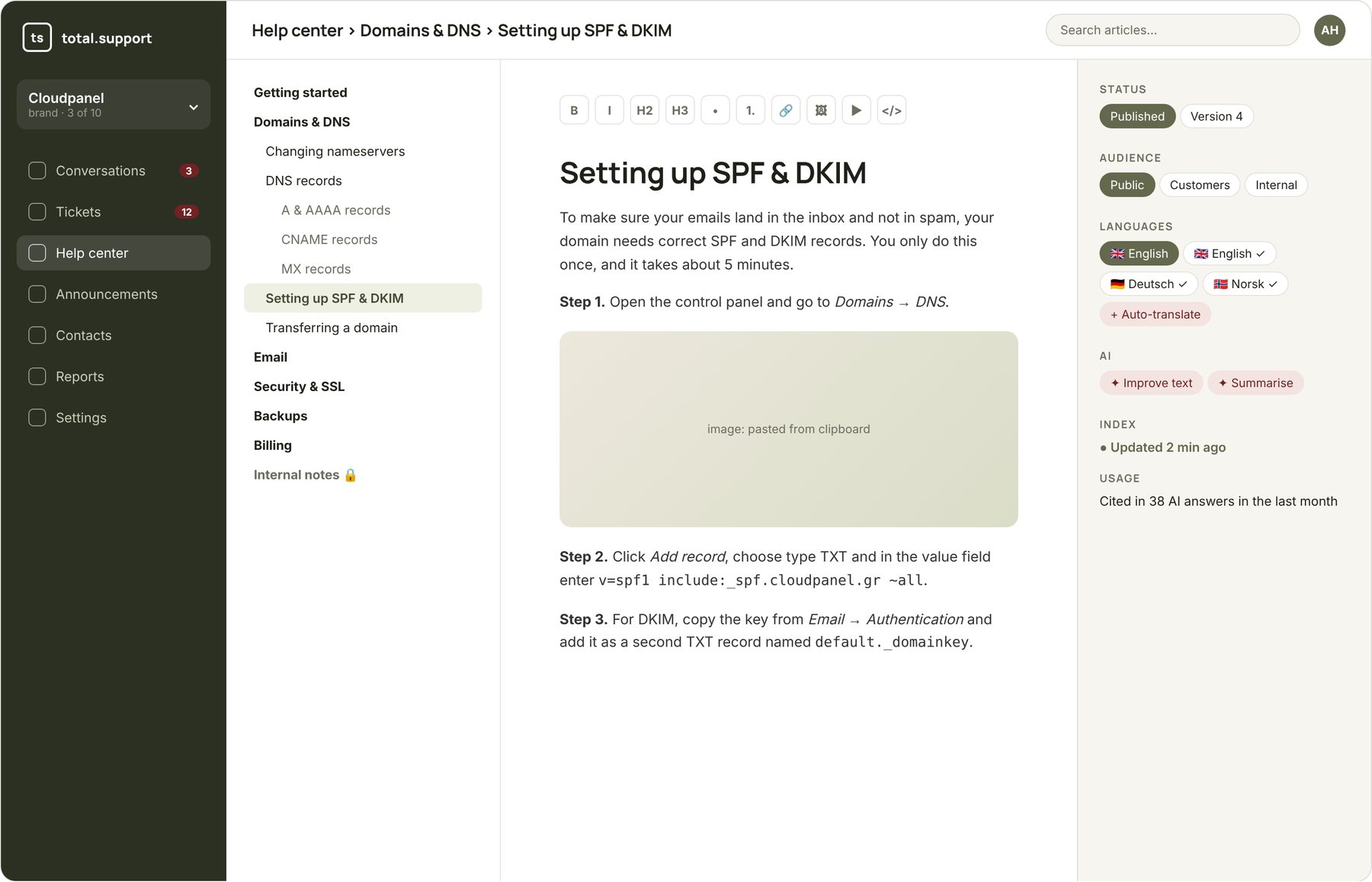
The article editor with category tree, content with an image and the languages side panel
Smart search

Finds the right article even when the customer describes it differently

Search combines semantic understanding (what they mean) with keyword matching (what they typed), and understands Greek with or without accents. “My site won't load” finds the nameservers article, even though the word isn't in the question.

  • The same search engine for customers, bot and agents
  • Index updated automatically on every article change
  • Public page with the brand's logo and colours
Search in the public help center
Content import

Already have guides? Bring them in within minutes.

You don't start from scratch. Upload files or a zip, give the address of your old site for the crawler to read, or connect Confluence and Zendesk Guide. The page and section structure automatically becomes categories.

  • Markdown, HTML, PDF, DOCX, ZIP
  • Website crawler
  • Confluence Cloud, Zendesk Guide
  • API to publish articles from your own systems
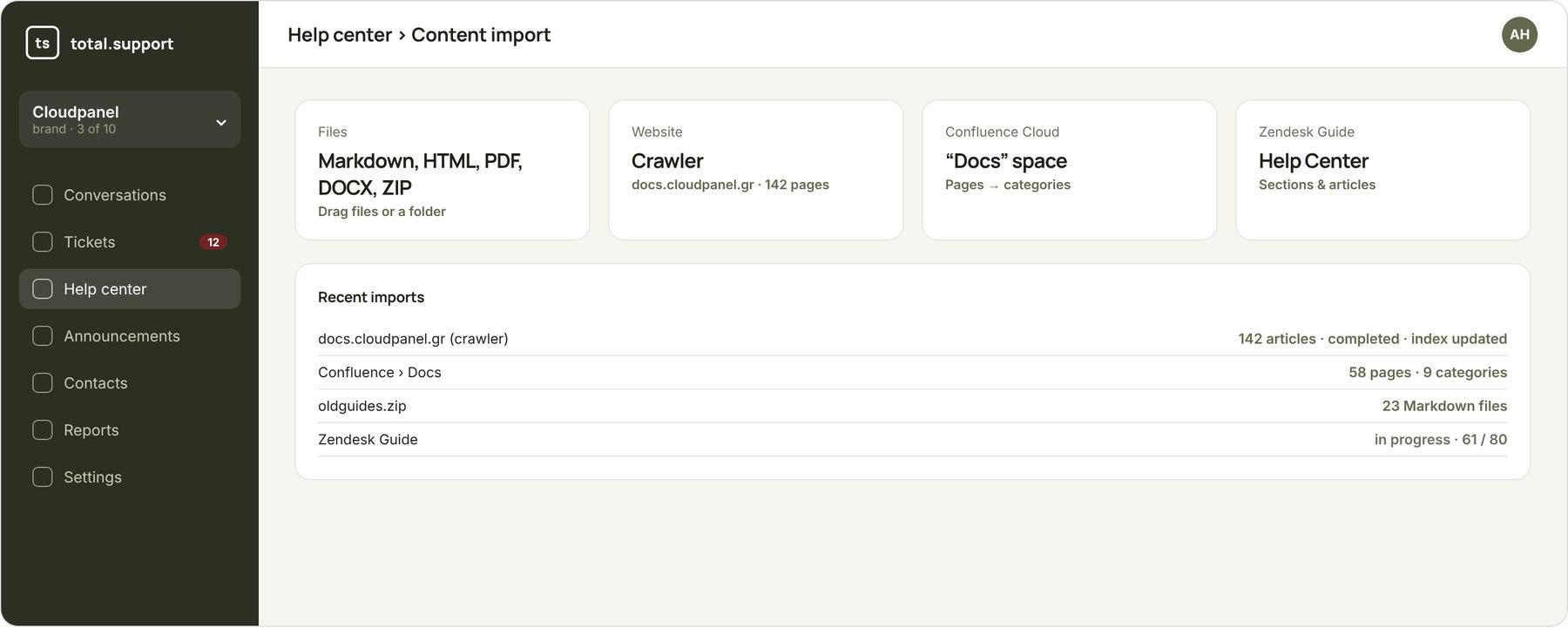
Content import page: files, crawler, Confluence, Zendesk
With AI help

The help center that fills itself in

Article from a ticket

Solved something in a ticket? One click and the AI drafts an article from the conversation. You approve.

Knowledge gaps

A report of the questions the bot couldn't answer, grouped. Write exactly what's missing.

Your own AI assistant

Connect Claude or ChatGPT via MCP and have it write the guides by reading your code.

More about the MCP server

Frequently asked questions

They're produced by modern language models that keep formatting, links and technical terms. You can edit any translation — and your manual correction is preserved.

2 AI credits per article per language, once per publish. A help center with 60 articles in 3 extra languages costs 360 credits the first time.

The help center runs at an address of the form brand.totalsupport.app. You can connect it to your site through the widget's “Help” tab. Custom domain support is in development.

Start with the guides you already have

Import from files, your site, Confluence or Zendesk during the free trial.